In-House IT Employee or IT Outsourcing - How to Compare Properly?
The common mistake when comparing an in-house IT employee to IT outsourcing is putting the salary next to the monthly retainer and picking the smaller number. But gross salary is not the full cost of an employee - and the monthly fee does not represent just one technician's hours.

To make the right decision you have to look at what the business actually gets: who handles faults, who is responsible for the servers, who knows the security setup, what happens when the IT person is unavailable, and whether the knowledge about the organization's systems is kept in an orderly way.
The choice is not just between two costs. It is between two different ways of running the company's IT.
What does an in-house IT employee really cost?
When looking at an in-house employee it is easy to focus on the monthly salary. In practice, the cost to the employer includes much more.
Beyond gross salary there are social contributions, vacation and sick days, recruitment costs, work equipment, professional training and sometimes a car or travel.
But the financial cost is only part of the picture.
What happens when the employee is unavailable?
Even a professional, dedicated IT person goes on vacation, gets sick or is called up for reserve duty.
When all the technological responsibility sits with one person, their absence can leave the organization without an answer exactly when a serious fault hits.
Sometimes other employees can handle basic actions - but when the server will not come up, the backup fails or a security incident occurs, professional knowledge is needed that does not always exist in-house.
What happens when the employee leaves?
Over time, an in-house IT person gets to know the network, the servers, the passwords, the vendors, past faults and the unique arrangements built in the organization.
When that knowledge is documented properly, it can be handed over to the next employee.
When it lives mainly in one person's memory, their departure can leave uncertainty behind: which systems exist, who manages them, where the backups are and how to restore services when something breaks.
Recruiting a suitable replacement is not always fast either. Until the new employee is chosen, onboarded and learns the environment, the organization may run for a long period with partial coverage only.
Can one person specialize in everything?
A business IT environment today spans many areas: workstations, servers, networking, cloud services, email, backups, security, telephony and sometimes industry-specific systems.
One IT person can be excellent in some of these - but it is hard to expect a single individual to be an experienced expert in all of them.
Even a very professional employee has a natural knowledge ceiling. Facing an unusual problem, they may need an extra consultant, an external vendor or long research time.
What do you get with IT outsourcing?
IT outsourcing should not be just a service you call when a computer stops working.
In a managed service, the provider takes ongoing responsibility for the IT environment: user support, server maintenance, system monitoring, backups, updates, security and planning the changes that come next.
The core value is not just the price - it is the breadth of coverage and the continuity of service.
A professional team instead of dependence on one person
Instead of relying on a single IT person, the business gets access to a team with different areas of knowledge.
A support technician can fix a workstation fault, a network specialist can look into a connectivity issue, and a server or security expert can join when more complex handling is required.
The client does not have to find a different professional each time and explain the system from scratch. Responsibility stays with one party that centralizes the handling.
Availability and continuity
When one team member is unavailable, another can pick up the handling.
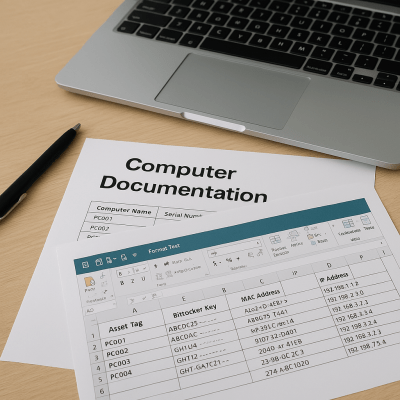
For that to work, the provider needs an orderly documentation system holding the system details, fault history, key configurations and the actions performed.
That way the service does not depend on one technician's memory, and the client does not start from zero on every call.
Experience accumulated across many environments
An outsourcing provider typically works with the systems of many different businesses and is exposed to a wide range of faults, fixes and technologies.
A problem that looks unusual to one business may be familiar to a team that has already seen a similar case elsewhere.
That accumulated experience can shorten diagnosis time, avoid trial and error, and help spot issues before they become faults.
Systems and management tooling
A managed service provider typically uses tools a business would not buy and run on its own for a single employee.
These can include a ticketing system, continuous monitoring of servers and workstations, update management, fault alerting, technical documentation, automation and security tooling.
The tools do not replace professionals - but they let them catch problems earlier, work consistently and see a wider picture of the systems' state.
A cost you can plan
With a defined monthly service, the business knows in advance what is included and what the ongoing cost will be.
Here too, read the agreement carefully. Some providers include only basic support; others include server maintenance, monitoring, backup, security, visits and handling hours.
So it is wrong to compare offers by the monthly price alone. Check what is really included, what is capped and what is billed separately.
Is outsourcing always cheaper?
Not necessarily - and that is not always the right question either.
For a small or medium business, outsourcing usually delivers a team, tooling and professional coverage at a lower cost than employing a full IT staff.
That said, an organization that needs an IT person on site all day, supports a very large user base or runs unique production systems may well justify an in-house employee - or a whole team.
The decision should be based on the organization's needs, not on the assumption that one option is always better.
Further readingAssisted-Living Network: Readiness, Security Cameras and Access ControlOne switch was reset and the guard station phone, about 12 cameras, the door controllers and both wireless networks went with it. How the network was rebuilt, and what to have in place first.→When is an in-house IT employee the right choice?
An in-house employee can be an excellent option when there is enough daily workload for a full position, a constant need for physical presence, or deep familiarity with the organization's unique processes.
In larger organizations, the in-house person knows the users, the priorities and the business systems up close, and can be a meaningful part of daily operations.
Even then, it matters that not all the knowledge and responsibility stay with one person. The organization still needs documentation, professional backup and an answer for the times the employee is unavailable.
Sometimes the combined model is the best answer
You do not always have to choose between an in-house employee and an external provider.
In some organizations the in-house IT person handles the users and the daily needs, while the outsourcing provider owns the areas that require extra specialization: servers, infrastructure, security, backups, complex projects or coverage during absences.
The combined model lets the in-house person focus on the organization - without standing alone against every fault and every specialty.
For the combination to work, the division of responsibility must be clear: who handles each system, who receives alerts, who approves changes and who runs an emergency event.
How do you compare an in-house employee to an outsourcing provider?
Start not from the price, but from the responsibility list:
- Who supports the employees?
- Who manages the servers and the network?
- Who checks the backups?
- Who owns updates and security?
- Who handles a fault outside working hours?
- What happens during vacation, sickness or reserve duty?
- How is the knowledge about the systems kept?
Once the needs are defined, you can compare the full cost of each option against the coverage it provides.
An in-house employee may be cheaper on paper but require additional vendors for areas outside their specialty. An outsourcing provider may quote a low monthly price that does not include services the business assumed were part of the deal.
A good comparison checks the full picture - not one line on the bill.
What should you ask an IT outsourcing provider?
Before choosing a provider, understand who is behind the offer and what the service will look like day to day.
Is it a team or a single person? Who will actually handle your business? What are the defined response times? What happens with an urgent fault in the evening? Which services are included and which are billed separately?
Ask how the handling is documented too. Is there a ticketing system? Are the network, servers and vendors documented? Who owns the documentation, and what happens to the information if you ever decide to switch providers?
A professional provider should be able to explain clearly what they take responsibility for, how they work and what remains the client's responsibility.
IT outsourcing as part of running the business
IT is not just a collection of computers and faults. It is the infrastructure your employees work on, your data lives on and your client activity runs on.
So the choice between an in-house employee and IT outsourcing should rest on stability, availability, security and business continuity - not just on who looks cheaper this month.
We have been providing IT outsourcing for businesses since 1996. The service is delivered by a professional team, the work follows procedures, the handling is documented and the systems are under ongoing monitoring.
Our goal is not just to fix the next fault - it is to create an orderly IT environment where it is clear who is responsible, what state the systems are in and what needs to happen so the business can keep working.
Weighing an in-house IT hire against an external service?
In a short intro call we can understand your organization, user count and existing systems - and lay out clearly which model fits better: full outsourcing, an in-house employee, or a combination of the two.


Want support that answers for the whole business?
If any of these three checks left you without a clear answer, it is worth a twenty-minute call. We will check what is installed, what is active, what needs attention and what does not need replacing - no strings attached. You can also read about our managed IT service.