Phishing in Spotify's Clothing
A new phishing scam impersonating Spotify has recently been showing up in emails reaching our clients. In this post we will briefly explain what phishing is, how to stay safe from phishing messages, and walk through a real example so you can recognize the signs and avoid falling into the trap the senders have set for you.
Originally published in Hebrew, 2024.
What is phishing?
Phishing (from the English word "fishing") is an attempt to impersonate a familiar, trusted website or organization, with the aim of tricking users into revealing sensitive information such as passwords, credit card details or other personal data. The messages often look very credible, and arrive by email, by text message, or through social networks such as WhatsApp, Telegram and others.
A phishing attempt in practice: Spotify
An email was recently received that looks as if it was sent by Spotify, claiming that the credit card linked to your subscription is about to expire. The message includes a link to update your payment details - but it leads to an impostor site (!) Here is a screenshot of the message in question:
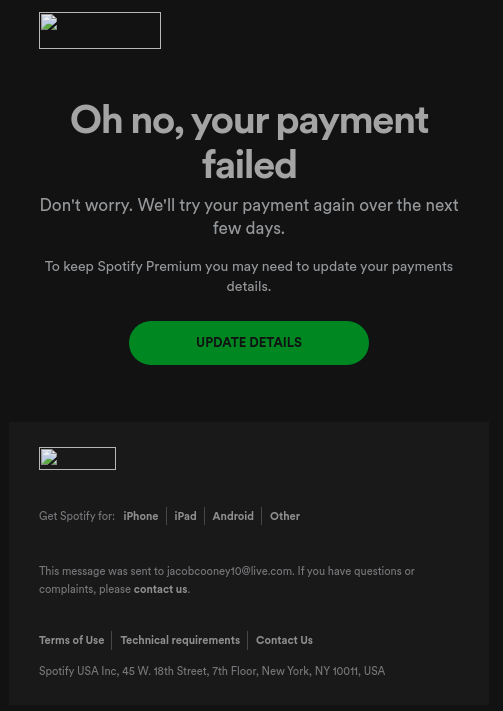
As you can see, the message looks very credible. However, the destination address behind the button in this message has nothing to do with Spotify at all. Here is a screenshot of the destination address:

We ran the link from this email through ScamAdviser, a site that performs checks and reports how likely it is that the links being tested are a scam or not. The check showed clearly that this is a fraud attempt. Here are the results:
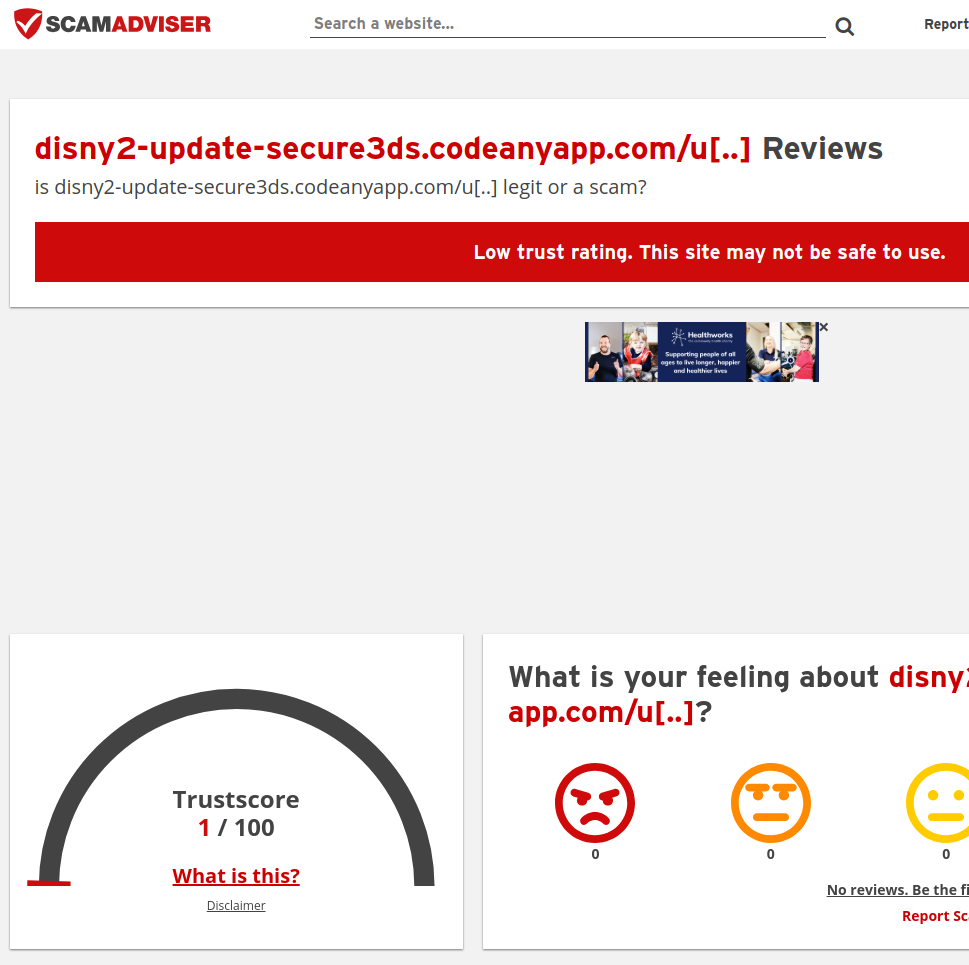
You can see the very low score the site received: 1 out of 100.
The color is deliberately red, to warn you against using the site, and a message is also displayed explaining clearly that the score the tested site received is low, and the tested site is therefore not safe to use.
How to stay safe from phishing messages
The iron rule is to always think at least twice before clicking links or buttons in messages sent to us by email or on social media.
Check the sender's address: many phishing messages come from email addresses that do not match the real sender's address - that is, the name that appears as the sender's name does not match the sender's email address.
Do not click links in suspicious messages: if you are not sure who the sender is, or whether the message is safe, or whether it was even meant for you, it is better to go to the website of the company the email was sent from on your own, and not through the link you were sent - if you need to search Google, then do that instead of clicking the link inside the message you received.
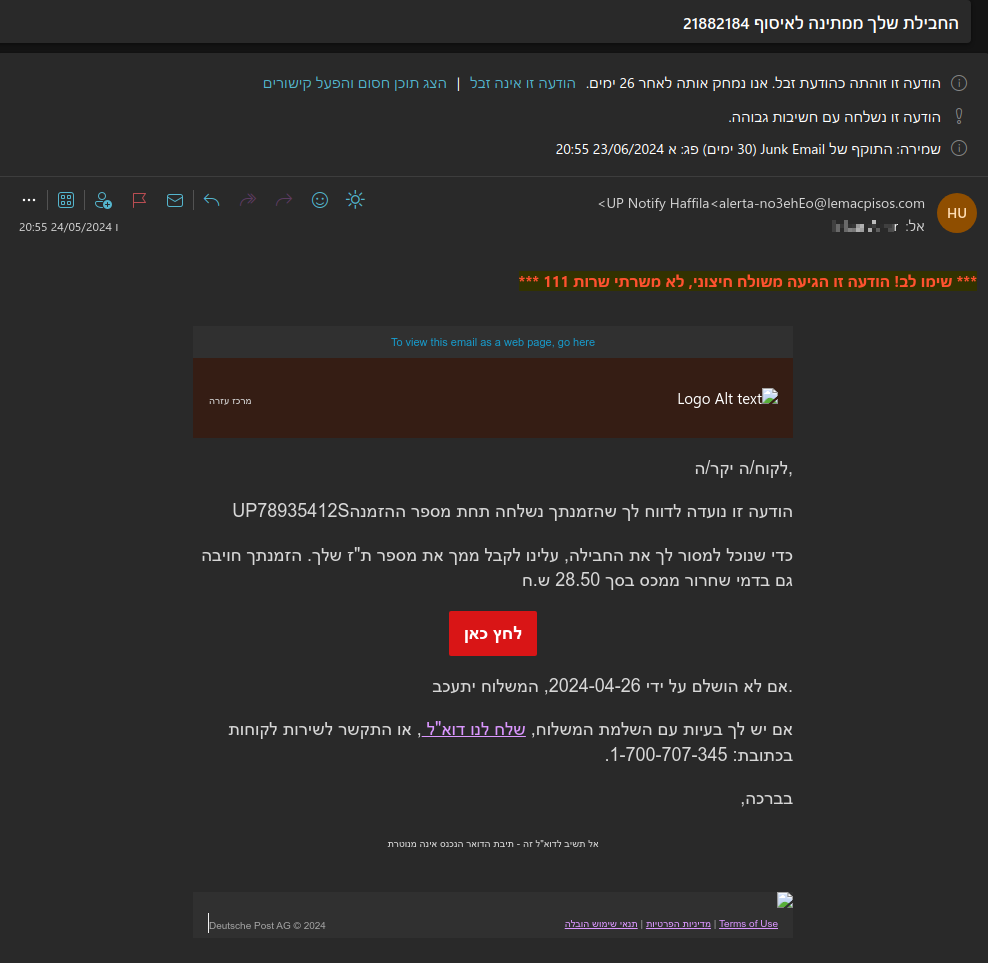
Pay attention to spelling and language: many phishing messages contain spelling mistakes or unusual phrasing - as in this additional example:
Avoid entering sensitive information: no reputable company will ask you to enter sensitive details by email, or to go and update details through a link they send you (except in cases where you yourself asked the site or the company for a password reset or another change).
We are here for you
Whenever you receive a suspicious message and are not sure whether it is a scam or not, you can always contact us. Our team of experts will be glad to help you identify a fraudulent message and avoid placing your trust in it.
Keep your information safe!



Not sure if a message is genuine?
Forward it to us before you click anything. We will check the sender, the links and the destination, and tell you what we found - no strings attached. You can also read about our cyber security service.